Tag Archives:forex
The mt4 platform has revolutionized how traders approach financial markets by offering sophisticated automated trading capabilities. This powerful software enables traders to execute strategies without constant manual intervention, making it an essential tool for both newcomers and experienced market participants.
Understanding Automated Trading on MT4
MetaTrader 4 provides traders with Expert Advisors (EAs), which are automated trading programs that can execute trades based on predetermined criteria. These programs monitor market conditions continuously and make trading decisions according to the logic programmed into them. The platform’s MQL4 programming language allows for the creation of custom strategies tailored to specific trading goals.
The automation process eliminates emotional decision-making, which often leads to inconsistent results. When markets move rapidly, human traders may hesitate or make impulsive choices, but automated systems execute trades based purely on the established parameters.
Essential Setup Steps
Before implementing automated trading strategies, proper platform configuration is crucial. Start by ensuring your MT4 installation includes the latest updates and that your internet connection remains stable throughout trading hours. Unreliable connectivity can disrupt automated operations and potentially cause missed opportunities.
Select Expert Advisors that align with your trading objectives and risk tolerance. The MT4 marketplace offers numerous pre-built solutions, while experienced traders may prefer developing custom EAs. Always test any automated system using the platform’s built-in strategy tester before deploying it with real funds.
Risk management settings deserve particular attention during setup. Configure maximum position sizes, stop-loss levels, and daily loss limits to protect your trading capital. These safeguards prevent automated systems from exceeding acceptable risk parameters during volatile market conditions.
Maximizing Automation Benefits
Successful automated trading requires ongoing monitoring and optimization. While EAs can operate independently, regular performance reviews help identify areas for improvement. Track key metrics such as win rates, average profits, maximum drawdown, and overall return on investment.
Market conditions constantly evolve, and strategies that perform well during certain periods may struggle in different environments. Adjust EA parameters based on changing volatility patterns, economic events, and seasonal market behaviors. This adaptive approach helps maintain consistent performance across various market cycles.
Consider running multiple strategies simultaneously to diversify trading approaches. Different EAs may excel in trending markets, range-bound conditions, or specific currency pairs. This diversification reduces reliance on any single strategy and can improve overall portfolio stability.
Technical Considerations
Server reliability plays a vital role in automated trading success. Consider using a Virtual Private Server (VPS) to ensure your EAs continue operating even when your personal computer is offline. Many brokers offer VPS services specifically designed for MT4 automated trading.
Backtesting remains an invaluable tool for strategy validation. Use historical data to evaluate how your chosen EAs would have performed under various market conditions. However, remember that past performance doesn’t guarantee future results, and real market execution may differ from backtesting scenarios.
Moving Forward with Automation
Automated trading through MT4 offers significant advantages for traders seeking consistent, emotion-free execution of their strategies. Success depends on careful EA selection, proper risk management, and ongoing performance monitoring.
Start with small position sizes while learning how your chosen automated systems perform in live market conditions. Gradually increase exposure as confidence grows and performance meets expectations. Remember that automated trading is a tool that enhances trading capabilities rather than a guaranteed path to profits.
For traders seeking unparalleled accuracy and control in the market, forex trading with metatrader 4 on T4Trade offers a precision-driven experience that is hard to match. T4Trade has expertly integrated the powerful MetaTrader 4 platform to provide a seamless, efficient, and flexible trading environment designed to meet the needs of modern forex traders.
MetaTrader 4 has long been favored by traders for its user-friendly interface, advanced charting tools, and the ability to automate strategies through Expert Advisors (EAs). T4Trade enhances this experience by ensuring smooth execution and access to a wide range of financial instruments within a secure and stable infrastructure.
One of the most notable features of trading forex with MetaTrader 4 on T4Trade is the ability to execute trades with speed and accuracy. The broker’s optimized technology minimizes latency, allowing traders to react swiftly to market movements. This is essential for anyone looking to capitalize on short-term price changes and maintain control over their trading outcomes.
In addition to speed, T4Trade offers extensive analytical tools embedded in MetaTrader 4. Traders can leverage multiple timeframes, technical indicators, and customizable charts to make informed decisions. The platform’s compatibility with automated trading systems also allows for the deployment of strategies that run continuously, even when the trader is offline.
T4Trade provides access to a diverse selection of currency pairs, allowing traders to diversify their trading opportunities while staying within the MetaTrader 4 ecosystem. This versatility combined with flexible leverage options ensures traders can tailor their approach to their individual risk preferences.
Another key advantage is the broker’s commitment to client education and support. Through tutorials, webinars, and comprehensive resources focused on MetaTrader 4, traders of all experience levels can improve their skills and confidence. Responsive customer service further ensures that any issues are promptly addressed.
Overall, T4Trade’s offering of forex trading with MetaTrader 4 is designed to provide a precise, reliable, and feature-rich platform for traders. The combination of cutting-edge technology, diverse market access, and educational support makes T4Trade an excellent choice for anyone looking to excel in forex trading.
MetaTrader 4 (MT4) remains a preferred platform for forex and CFD traders worldwide due to its robust features, advanced charting tools, and support for automated trading. While MT4 was originally designed for Windows, macOS users can also take full advantage of this powerful platform by following a few additional steps. This guide walks you through how to install and run mt4 for MacOS smoothly and efficiently.
Why MT4 on macOS?
Despite the platform being natively built for Windows, many traders prefer using macOS for its reliability, sleek interface, and security. Fortunately, with modern tools and workarounds, macOS users can run MT4 without missing out on any essential functionality.
Step 1: Choose a Reliable Method to Run MT4
To install MT4 on macOS, you’ll need a compatibility layer that allows Windows applications to run on Mac. There are two primary methods:
Using Wine or Wine-based Applications:
Wine is a compatibility layer capable of running Windows applications on Unix-based systems, including macOS. Some brokers offer customized MT4 versions packaged with Wine, making installation easier.
Using Virtualization Software:
Alternatively, you can use virtual machines through software like Parallels Desktop or VirtualBox. This approach allows you to install a full version of Windows on your Mac and then run MT4 within that environment.
Step 2: Install MT4 via Wine (Recommended for Simplicity)
Here’s how to install MT4 using Wine:
Download Wine:
You can use WineBottler or PlayOnMac, both of which simplify the Wine installation process. Follow the on-screen instructions to install the software.
Download MT4 Installer:
Visit your broker’s website and download the MT4 installation (.exe) file.
Run the Installer:
Open Wine or your Wine-based application and run the MT4 installer. Follow the prompts just as you would on a Windows PC.
Complete Installation:
After installation, you’ll find the MT4 application within your Wine programs folder. You can create a desktop shortcut for easy access.
Step 3: Launch and Use MetaTrader 4
Once installed, open MT4 from your Wine program list or desktop shortcut. Log in using your trading account credentials, and you can begin analyzing charts, placing trades, and using Expert Advisors (EAs) just like you would on a Windows system.
Important Tips
Performance:
While MT4 runs well via Wine, ensure your macOS is up to date and your device has enough memory and processing power for smooth performance.
Security:
Only download MT4 from trusted sources. Always keep your software updated to protect against vulnerabilities.
Backups:
Regularly back up your profiles, templates, and trading data to avoid loss in case of system errors.
Final Thoughts
Running MetaTrader 4 on macOS may require a few additional steps, but the outcome is well worth the effort. By leveraging tools like Wine or virtualization software, traders can enjoy the full functionality of MT4 without compromising on the benefits of using a Mac. With this guide, even users new to macOS or MT4 should find the installation and setup process smooth and manageable.
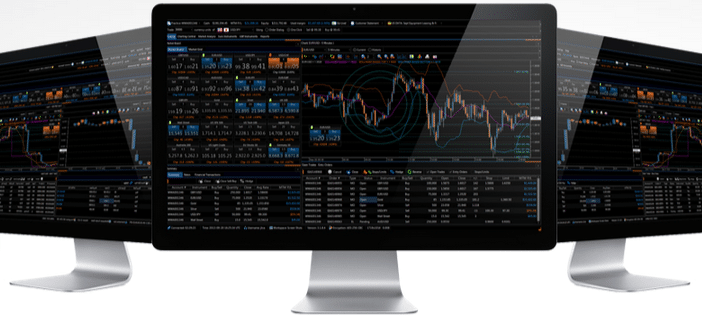
In today’s fast-paced world, being able to access your trading platform on-the-go is essential. With MetaTrader 4 (MT4) for iPhone, you can now trade smarter and more efficiently from how to use metatrader 4 on android . This powerful app offers all the features of the desktop version of MT4, making it a must-have tool for any trader.
What is MetaTrader 4?
MetaTrader 4 is a popular trading platform used by millions of traders worldwide. It offers advanced charting tools, technical indicators, and automated trading capabilities. With MT4, traders can access real-time market data and execute trades in various financial markets such as Forex, stocks, commodities, and more.
Why Use MetaTrader 4 for iPhone?
The mobile version of MT4 offers all the features of the desktop version in a user-friendly interface designed specifically for iOS devices. This means that you can monitor your trades and make informed decisions anytime and anywhere with just a few taps on your phone.
Real-Time Market Data
With MetaTrader 4 for iPhone, you have access to real-time market data at your fingertips. You can view live quotes and charts to analyze market trends and make informed trading decisions quickly.
Advanced Charting Tools
MT4’s advanced charting tools allow you to customize charts according to your preferences. You can choose from different timeframes, add technical indicators or draw trend lines directly on the chart – all while on-the-go.
One-Click Trading
The one-click trading feature allows you to execute trades quickly without having to go through multiple steps. This feature is especially useful when timing is crucial in fast-moving markets.
Push Notifications
Never miss an important market event again with push notifications from MetaTrader 4 for iPhone. You can set up alerts based on price levels or news events so that you can stay on top of your trades even when you’re away from your computer.
Conclusion:
In conclusion, MetaTrader 4 for iPhone is a game-changer for traders who want to stay connected and make informed trading decisions on-the-go. With its user-friendly interface, real-time market data, advanced charting tools, and push notifications, this app offers everything you need to trade smarter from your iOS device. So why wait? Download MetaTrader 4 for iPhone now and take your trading to the next level.
In the fast-paced world of mt4 for windows, choosing the right platform can make all the difference. When looking for a reliable option for desktop trading, many traders find themselves drawn to a versatile choice that’s both powerful and user-friendly. Let’s explore why a well-regarded trading platform for Windows is often considered the top choice for desktop trading.
Seamless Accessibility and Intuitive Design
One major advantage of this popular platform is its seamless accessibility coupled with an intuitive design. Designed specifically to cater to both beginners and experienced traders, it offers a straightforward interface that makes navigation a breeze. From accessing charts to executing trades, every step has been streamlined to ensure users spend more time making smart trading decisions and less time figuring out complex features. This ease of use is a significant factor that has contributed to its popularity among traders who prefer a desktop setup.
Advanced Analytical Tools for Informed Decisions
Another key feature that sets this platform apart is its comprehensive suite of analytical tools. Traders benefit from a wide array of indicators and charting options, which allow them to analyze market trends with precision. By having access to in-depth analysis tools, users can identify trading opportunities more effectively and make informed decisions based on real-time data. This capability is particularly valuable for those who rely on technical analysis to guide their trading strategies, providing them with a competitive edge in the market.
Customization and Flexibility to Suit Every Trader
In addition to its powerful analytical capabilities, the platform is renowned for its customization and flexibility. Traders can tailor their trading environment to suit their individual preferences, making it easy to focus on the information and tools that matter most to them. Whether it’s configuring the layout, setting up alerts, or integrating with third-party tools, the platform’s flexibility ensures that every trader can create a personalized experience that aligns with their unique trading style.
Conclusion
For traders seeking a robust and dependable solution for desktop trading, this leading Windows-based platform offers an ideal combination of accessibility, analytical prowess, and customization. Its user-friendly design and advanced features make it a preferred choice for those looking to enhance their trading experience and achieve better results. Whether you’re just starting or looking to refine your strategies, this platform provides the tools and flexibility you need to succeed in the dynamic world of trading.
A market that allows the traders utilize their money to Get in Them is known as the forex industry. It is considered as the very common liquid market because they offer a great number of benefits that keep the investors participated in them. This waythey could continue earning more plans to help them make more profit compared to the amount of money that they spent in the very first place forex signals from the forex signals.

Features of forex Signals for the commerce!
• The shareholders can Switch from 1 currency to the other very readily if they discover that the other one more profitable. Some people May Think That it could entail several risks but because of the volatility Given to the clients benefit them because a large profit, and in turnthey get benefit
• The investors Having profit does not rely on any organization however also the market, gives advantage to the shareholders. The firm Handling equity stocks doesn’t interfere with the marketplace that the investors are involved in because the only one who has a state in their investment thing is your investor
• It’s believed Because the best liquid market as it offers profits higher than the investing markers which offer numerous stipulations and state which remove all of the interest of the shareholders which is why they are not interested in purchasing other markets
As compared to other investment approaches, forexsignals provide many varieties of options Which Make It popular Among the investors, and the price is also fair. The reason behind this is that the direct link between the traders and investors which gets the threat to a minimum sum
If you are confused with best forex brokers the buying and selling market and also investment in the actual forex world you need to approach snalaska.internet who will provide you the best suggestions best Forex brokers for investing in this trading world. We understand that could it be is very difficult to get the right Forex broker who will assist you with your investments.
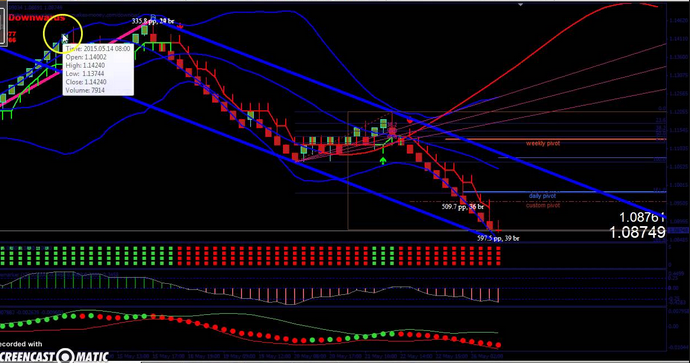
Knowing the forex market is a very important think before you’re making any choice on your Assets. Because if you make blind assets you can experience a tremendous amount of disaster within this trading world. To avoid this, we bring you the most effective Forex brokers who are planning to help you and set you track of a variety of applications which will help one to learn from your mistakes and they will professionally direct you with different monitors and information which will help one to bring the most effective from your cash when it comes to purchase of this world of trade. Undertrial icon computer in terms of your money is not an proper call to make when it comes to trade and quite often people deal with hard failures due to cough knowledge in this field of stock trading game.
Therefore, we all bring you the most effective Forex broker2019 who will help you to learn more about some great benefits of forests outdated and will make you find the best expense choice information and this kind of working. They’ll provide you appropriate in suggest immediately and definately will professionally enable you to make the right contact when it comes to finding out the amount of money to become invested in the marketplace. Forex market is difficult to understand however it is truly a very amazing market place where you can double your money and acquire the best globally. These brokers will help you from producing bad choices which can hurt you monetarily and will allow you to create a better portfolio so that you can enjoy diverse diversities in your investing world. There is a variety of tricks which is going to make you get more info and more about this trading planet you can find many reviews about the relating to this broker online with different ratings.